Their place in line, on their own phone.
Every customer gets a live page — no app, no login. It shows how many are ahead, and changes the moment it's their turn.
Free for 100 visits a month · no card needed
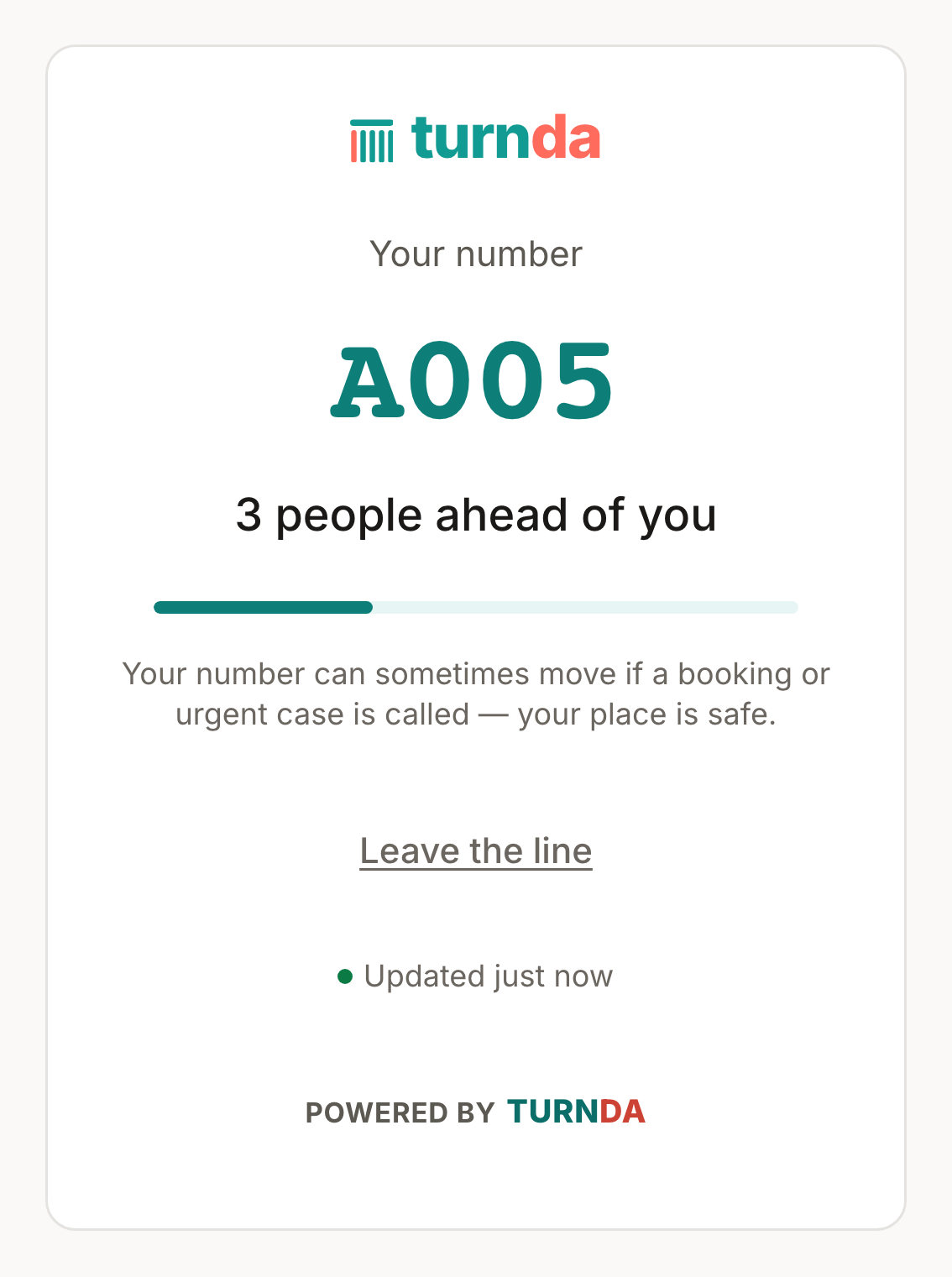
Tracking page
When someone joins your line they get a link to their own live page. It shows their number, how many people are ahead, and, if you switch the wait on for the line, roughly how long is left — and it refreshes on its own. Because it is just a web page, sending it costs you nothing, no matter how many people you serve.
Step by step
They join by QR
A scan opens the join page. No app to download, no account to create, no hardware at your counter.
They get their link
The link opens straight to their live position and stays valid for the whole visit.
They wait anywhere
In the car, next door, in the shade. The page keeps updating, so nobody has to hover at the counter to avoid missing their turn.
You call them back
The moment you serve them, their page changes to say it is their turn.
A web page, not a paid message
Most queue tools text people, and every text has a price. turnda's tracking page is a web page, so it works for every customer at any volume. Email updates are included, WhatsApp and text updates are optional prepaid packs, and the tracking page is how a customer can always see their turn.
Everything else on this page
A print-ready QR poster
Your join QR on a poster that says “scan to join the line”, ready for the counter, the front door or a table tent.
A “Join the line” button for your own website
Copy the code, paste it into your site or your email signature, and people join without leaving your page.
The website button is its own switch
Show or hide the “Join the line” button on your website. Your QR code and link work wherever they are opened either way.
Every way to reach a line, in one panel
The link, the QR poster, the website button and the appointment link — each with its own state, so you can see at a glance what is live.
Show a wait, or do not
An estimated wait on each customer’s page builds trust where waits are predictable, and is better switched off where they are not. Your call, per line.
Numbers only, initials, or names
What the public sees is a setting — and a display set to numbers only is never sent the names in the first place.
The rest of the product
WhatsApp & email
When a customer messages you — by tapping “Get WhatsApp updates” on their tracking page or scanning the code at your kiosk — their updates come on WhatsApp. WhatsApp is an optional prepaid pack you turn on. Everyone else has their tracking page and email.
Read moreThe Queue page
The console your team lives in. It shows who is waiting, who is next and who is over their wait — and serving the next person is a single tap.
Read moreLobby TV & displays
Pair a recent smart TV, a browser stick, a tablet or a spare monitor to show the live line and who is being served. Setup is a short address and a 6-character code, not a long web address typed with a TV remote.
Read moreCommon questions
Does the customer need to install anything?
No. It is a normal web page that opens in whatever browser their phone already has.
What if they close the page?
The link still works — they can reopen it. It is also included in the WhatsApp or email update if those are switched on.
Do customer updates cost anything?
The tracking page is a page, not a message, so it costs nothing. Email updates are included in every package (email has a monthly allowance by package). WhatsApp and text updates are optional prepaid packs you turn on; see pricing.
Can I put a “Join the line” button on my own website?
Yes. Copy the button code from the share panel and paste it into your site or your email signature. There is also a print-ready QR poster for the counter and the front door.
Can people join before they arrive?
Yes. Your QR code and join link work wherever they are opened, so someone can take a place before they set off. The one switch you control is whether the “Join the line” button shows on your own website.