Booked and walk-in, in one fair line
Light appointments that check in to the same line as walk-ins. No separate calendar app, no double-booking, no argument about who was here first.
Free for 100 visits a month · no card needed
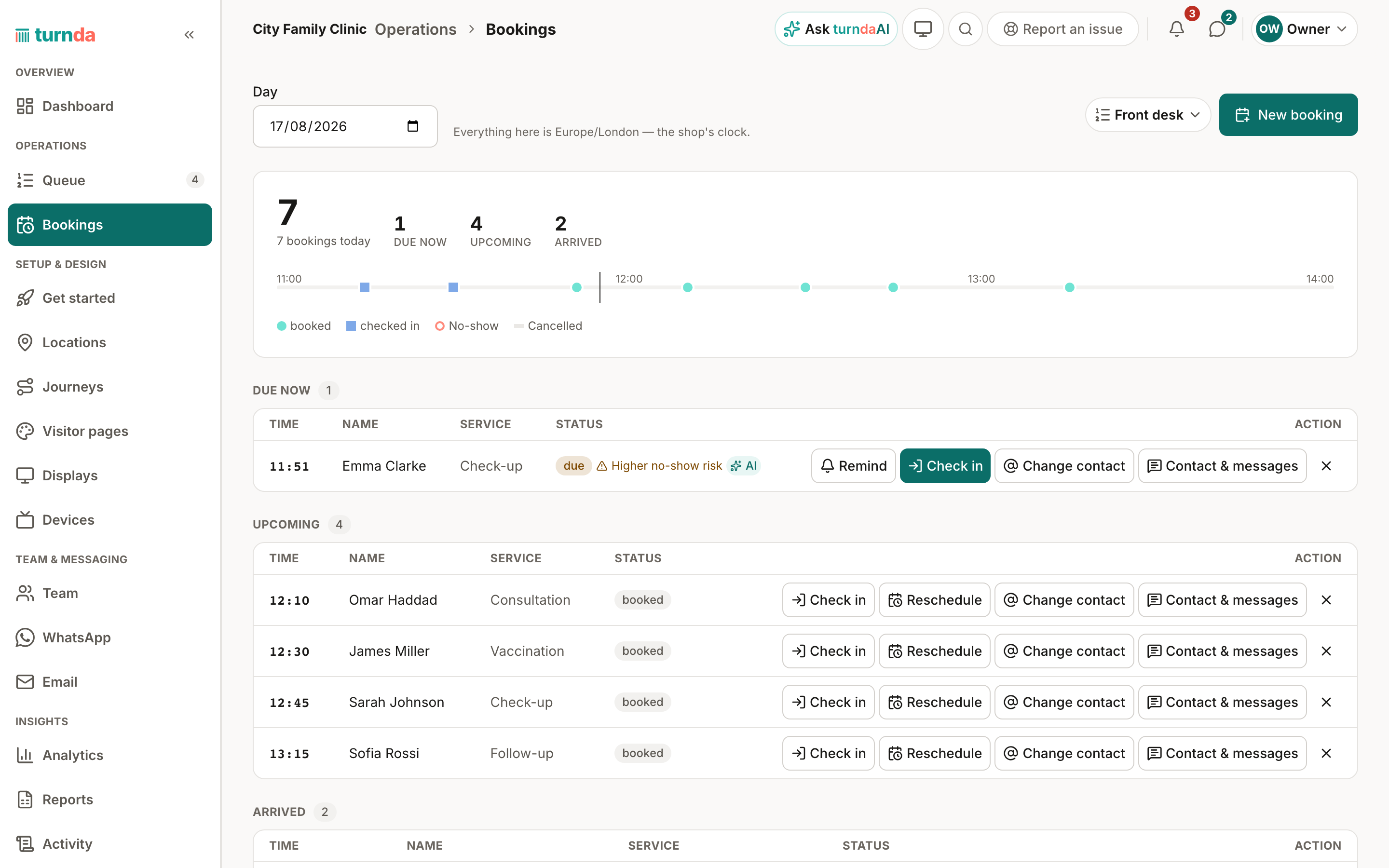
Appointments + walk-ins
turnda takes simple appointments for a time slot. When that person arrives and checks in, they enter the same line as everyone else — placed ahead of walk-ins once their appointment is due, and treated as a normal arrival if they turn up early. Walk-ins are always implicit: you never have to configure them.
Step by step
Publish your times
Set the hours and slot length for a line. That is the whole setup.
People book a slot
They pick a time and get a confirmation with a link to their own appointment page.
They check in when they arrive
Checking in is what puts them in the line — an appointment alone does not hold up your counter.
The line stays fair
A due appointment is served ahead of walk-ins; an early arrival waits like anyone else until their slot comes round.
Deliberately light, on purpose
turnda does not try to be a per-staff calendar with resources, rotas and recurring rules — those exist and they are heavy. What it does is make an appointment and a walk-in land in the same line under the same fairness rules, which is the part that actually goes wrong at a busy counter.
Everything else on this page
Customers book their own slot
A public page of your open times. They pick one, and they are booked — no phone call and nobody at your desk taking it down.
They can move it or cancel it themselves
Their appointment page offers reschedule, cancel and check in, and an Add to my calendar button: one tap adds it to Google Calendar, or saves a calendar file that opens in Apple Calendar and Outlook. You decide how many times somebody may move an appointment.
Decide when your appointment page is open
The earliest and latest time people may book, and how far ahead — a day, a season, or up to a year.
Slot length and how many per slot
Set the length of a slot and how many people may take the same one, for a counter that serves several at once.
Check in from their own phone
Checking in is what puts them in the line, and they can do it themselves — or you can do it at the desk.
Stop early check-ins
Set how early an appointment may check in, or leave it open to any time that day.
Show an appointment before it is due
Choose how far ahead an upcoming appointment appears in the live line, so the counter can see it coming.
A reminder before the slot
Sent by email, as far ahead as you choose. It cannot ride WhatsApp: a reminder arrives long after the customer last messaged you, and WhatsApp only allows a free message inside that window.
A grace period for a no-show
How long a booked person who has not checked in is held after their slot time before the appointment counts as a no-show — short for a fast line, longer where people wander.
An appointment checks in when the contact matches
A customer's appointment is checked in when their contact is proven — at the desk, with the booking code, or with an email code — so nobody can take someone else's appointment.
The rest of the product
The Queue page
The console your team lives in. It shows who is waiting, who is next and who is over their wait — and serving the next person is a single tap.
Read moreMulti-stop journeys
Some visits are not one stop. Move someone from reception to the doctor to the pharmacy as one visit — one link, one record, no new ticket and no re-registering at any desk.
Read moreTracking page
Every customer gets a live page — no app, no login. It shows how many are ahead, and changes the moment it's their turn.
Read moreCommon questions
Is this a full appointment system?
No, and deliberately so. It handles time slots that feed your line. If you need per-staff calendars and resource scheduling, a dedicated appointment product will serve you better.
What if a booked customer arrives early?
They wait like a walk-in until their slot is due, then take their place. That is what keeps the line fair to people who came without an appointment.
Can I take walk-ins only?
Yes — walk-ins work with no configuration at all. Appointments are opt-in.
Can customers book themselves in, without calling?
Yes. There is a public appointment page showing your open times; they pick a slot and they are booked. You set when your appointment page opens and closes, how far ahead people may book, how long a slot is and how many fit in one.
Can they change an appointment themselves?
Yes. Their appointment page offers reschedule, cancel and check in — and you decide how many times one appointment may be moved, so a slot cannot be shuffled all week.